
- Overview
Overview
The 'Overview' page in the Macrium Account contains easily accessible information to help you view the products that are associated with your account, access onboarding guides and tutorials, download product installers, and easily see the number of licenses you have and how many are available.
Getting Started With
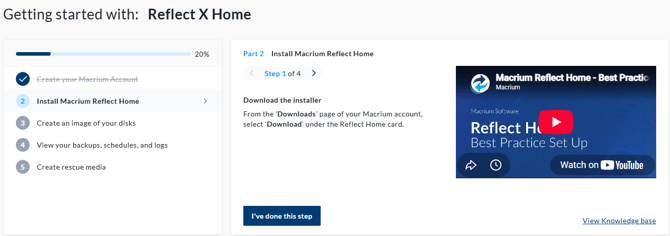
At the top of the 'Overview Page', if you own a Macrium Reflect X Home license, you will see an onboarding tutorial which can be followed to complete the prerequisute steps needed to be able to recover from a disaster, for example creating a disk image and rescue media to be able to restore the image.
Note: whilst there are video tutorials for most Macrium products, the interactive onboarding tutorial is only available for Macrium Reflect X Home. If you are interested in a tutorial for additional solutions, please vote for this on our roadmap here.
Your Products
The 'Your Products' section of the 'Overview' page provides additional infromation about each of the Macrium products associated with the account, including easy access to video tutorials, product installers, product upgrades, access to documentation, and an overview of the number of available and used licenses for that product.
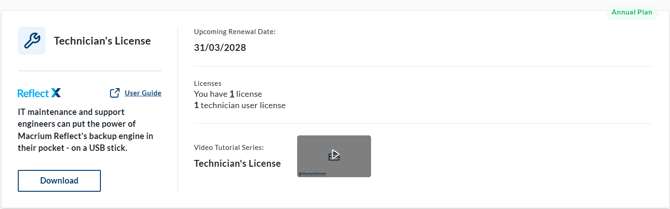
Clicking one of the license links will take you to the more detailed 'Licenses' page described here.