
- Overview
- What Can I Do in Restore Only Mode?
Overview
Macrium Reflect X will enter 'Restore Only' mode if it ever enters an unlicensed state. There are several reasons why Macrium Reflect X may enter this state:
- A Macrium Reflect X trial has expired
- The Macrium Reflect X annual plan license has expired
- A hardware change has caused the license to become invalid (e.g., follow a restore to new hardware).
Restore Only mode ensures that you always have the ability to access data stored in Macrium Reflect backup files and can use these backups to recover in the event of a disaster.
Entering Restore Only Mode
Launching Macrium Reflect without a valid license will display a window with the available actions. The items in this window may vary depending on the reason why there is not a valid license. The example below shows this window with a license that has become invalid following a restore to new hardware; as a result, an option is displayed to transfer the license from being associated with the old hardware to the new hardware.
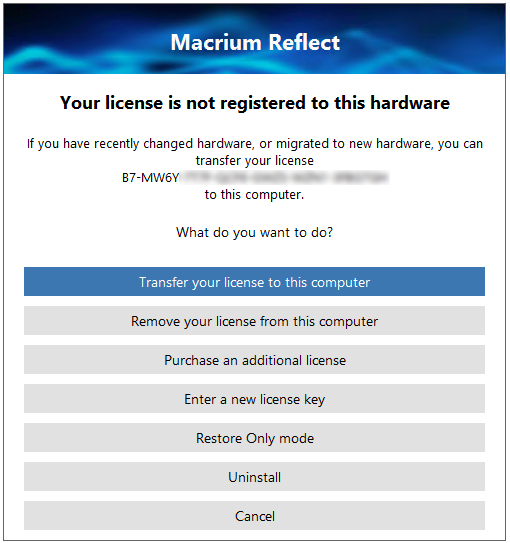
Selecting 'Restore Only' mode, will launch Macrium Reflect with only the restore features available.
What Can I Do in Restore Only Mode?
Once Macrium Reflect has launched in Restore Only mode, 'Restore Only' will be displayed in the top bezel, and any features to create new backups will be disabled:
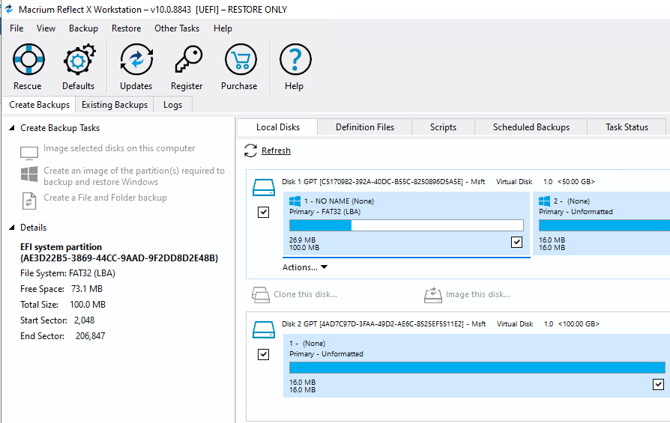
However, while in Restore Only mode you can restore image and file and folder backups, browse images and file and folder backups for individual file and folder recovery, and create rescue media to recover backups when the operating system where Macrium Reflect is installed is not accessible.