- Solution
Error and Cause
Due to how some systems are configured, the system may not be able to "wake" from sleep to run a backup. Depending on how the backup schedule was configured, this may result in the error being displayed.
If 'Run task as soon as possible after a scheduled start is missed' was checked when the backup schedule was created, the backup will run the next time that the computer wakes and may result in backups occurring at inopportune times.
If 'Run task as soon as possible after a scheduled start is missed' was not checked when the backup schedule was created, the scheduled backup will fail with error 0x800710E0.
Solution
To ensure that the scheduled task can wake the computer, first ensure that 'Wake the computer to run this task' has been enabled in Macrium Reflect for the scheduled task, as described here.
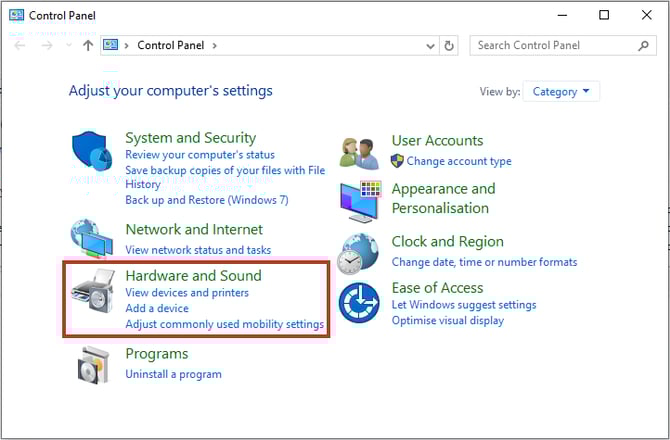
If the error persists following this, the Windows power plan settings may need to be adjusted. To do this, open the Windows Control Panel and select 'Hardware and Sound':
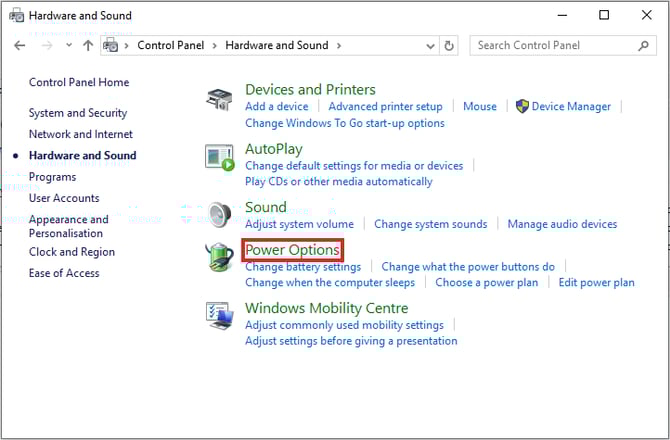
Next, select 'Power Options':
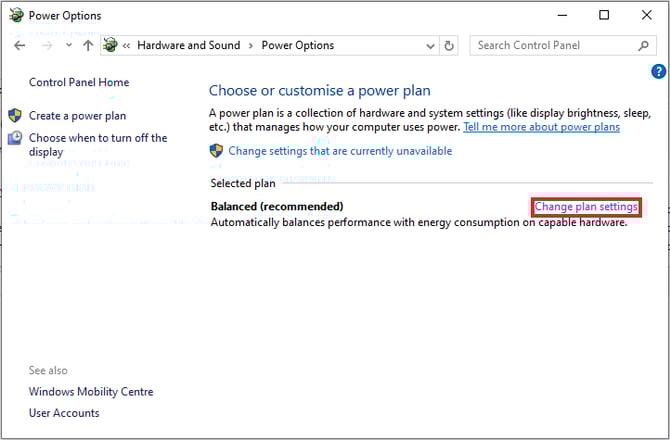
Then select 'Change plan settings' for the power plan that is currently selected:
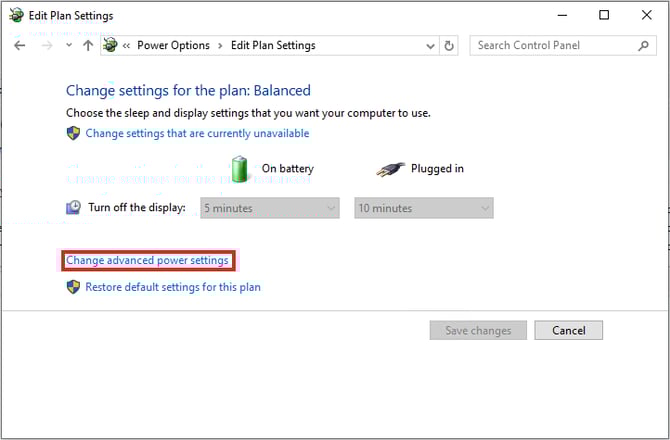
On the 'Edit Plan Settings' page, select 'Change advanced power settings':
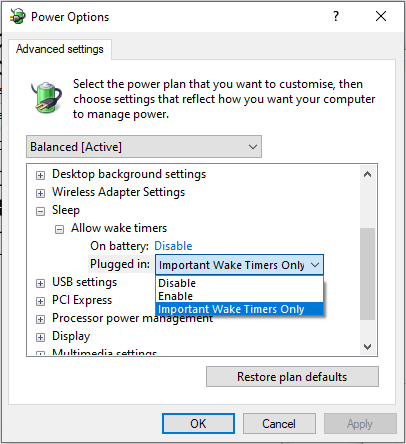
Expand 'Sleep' and 'Allow wake timers', then select 'Enable' for the relevant options: